10 Best Forex Trading Apps in 2026

10 Best Forex Trading Apps – Rated and Reviewed. We have tested the Best Forex Trading apps for Beginners and Professional Traders.
What is the best forex trading app globally?
The best forex trading app depends on your experience, trading strategy and preferred markets. Leading apps typically offer competitive spreads, strong regulation, fast execution, advanced charting tools and reliable mobile performance.
Are forex trading apps safe to use worldwide?
Forex trading apps can be safe when they are operated by brokers regulated by recognised authorities such as the FCA, ASIC, CySEC or CFTC. Traders should also check account protection measures, withdrawal rules, platform security and whether the broker is authorised in their country.
10 Best Forex Trading Apps 2026 — Quick Comparison
| # App | Best for | iOS | Android | Min. Deposit | Regulation |
| IC Markets | Low spreads & execution | 4.4 ★ | 4.1 ★ | $200 | ASIC, CySEC, SCB |
| Pepperstone | Professional mobile trading | 4.4 ★ | 4.2 ★ | $0 | ASIC, FCA, CySEC |
| FP Markets | Advanced charting & tools | 4.3 ★ | 4.1 ★ | $100 | ASIC, CySEC |
| BlackBull Markets | User-friendly experience | 4.2 ★ | 4.0 ★ | $0 | FMA, FSA |
| AvaTrade | Risk management & AvaProtect | 4.5 ★ | 4.3 ★ | $100 | ASIC, CySEC, FSCA |
| Exness | Instant withdrawals & high leverage | 4.3 ★ | 4.2 ★ | $10 | FCA, CySEC, FSCA |
| FOREX.com | Regulated beginner trading | 4.2 ★ | 4.0 ★ | $100 | FCA, CFTC, ASIC |
| IG Group | Premium platform & research | 4.4 ★ | 4.1 ★ | $0 | FCA, ASIC, BaFin |
| CMC Markets | Next-gen mobile platform | 4.3 ★ | 4.1 ★ | $0 | FCA, ASIC, MAS |
| eToro | Social & copy trading | 4.3 ★ | 4.2 ★ | $50 | FCA, ASIC, CySEC |
10 Best Forex Trading Apps (2026)
- IC Markets – Overall Best Forex Trading App for Low Spreads & Execution
- Pepperstone – Best Mobile Trading Experience for Professional Traders
- FP Markets – Best Advanced Charting & Trading Tools
- BlackBull Markets – Best User-Friendly Forex Trading App
- AvaTrade – Best Risk Management Features with AvaProtect
- Exness – Best Instant Withdrawals & High Leverage Trading
- FOREX.com – Best Regulated Forex Trading App for Beginners
- IG Group – Best Premium Forex Trading Platform & Market Research
- CMC Markets – Best Next Generation Mobile Trading Platform
- eToro – Best Social & Copy Trading Forex App
1. IC Markets
 | Minimum Deposit: $0 Regulated by: FSA Crypto: Yes |
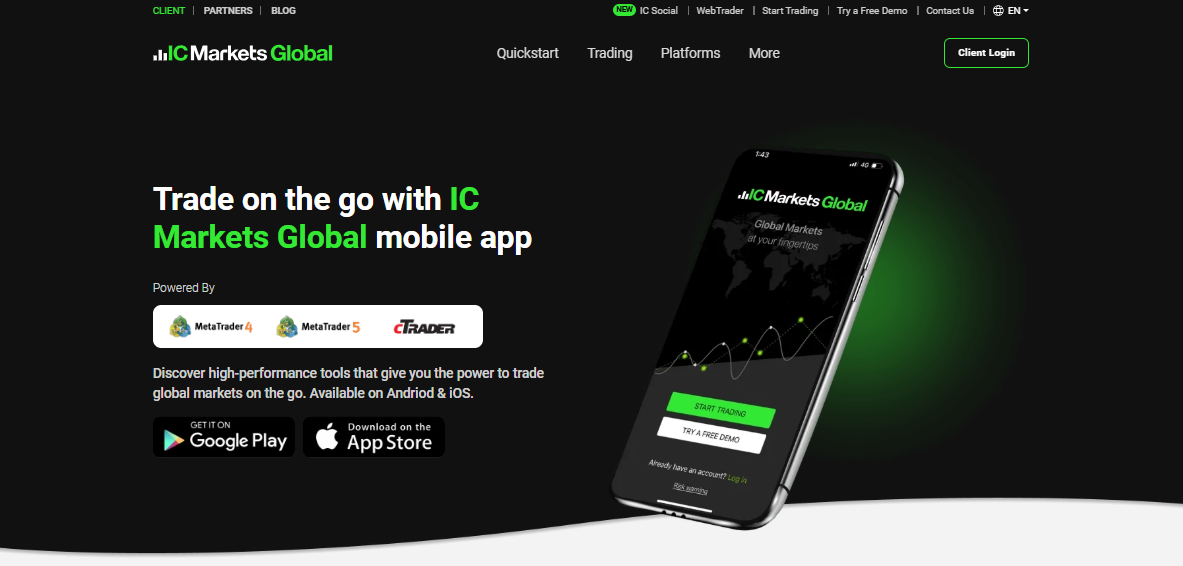
IC Markets Global’s mobile app offers a complete trading experience for users who want to trade anywhere, anytime.
With seamless access to MetaTrader 4, MetaTrader 5, and cTrader platforms, the app provides powerful tools, tight spreads, and fast execution across a wide range of global CFD markets.
Traders can fund their accounts, verify documents, and manage trades from their phones, supported by 24/7 multilingual customer service.
| 🔎 Feature | 📌 Details |
| 📊 Platforms Supported | MetaTrader 4 MetaTrader 5 cTrader |
| 📲 Device Compatibility | Android and iOS |
| 🍎 Tradable Assets | Forex Commodities Indices Stocks Futures Crypto |
| 💶 Payment Methods | Multiple currencies and methods (AUD, USD, EUR, etc.) |
| ❤️ Support Availability | 24/7 Multilingual Live Chat |
| 🔑 Key Tools | Economic Calendar, Balance Monitoring, ID Upload |
| 🚀Open an Account | 👉 Open Account |
Pros and Cons
| ✅ Pros | ❌ Cons |
| Supports MT4, MT5 and cTrader platforms | No built-in learning section for beginners |
| Tight spreads with fast execution | Can feel advanced for casual users |
| 24/7 multilingual live chat support | No native app-specific trading tools |
| Easy deposits and withdrawals in multiple currencies | Limited customization compared to desktop versions |
Frequently Asked Questions
What platforms does the IC Markets Global app support?
It’s compatible with MetaTrader 4, MetaTrader 5, and cTrader.
Can I deposit and withdraw funds directly in the app?
Yes, the app supports multiple currencies and popular payment methods for both deposits and withdrawals.
Is customer support available through the app?
Absolutely – multilingual 24/7 live chat support is available within the app.
What instruments can I trade on the mobile app?
You can trade Forex, commodities, indices, stocks, futures, bonds, and crypto CFDs.
Our Insights
The IC Markets Global app is a solid all-rounder, offering professional-grade tools for mobile trading across a wide asset range. Its platform flexibility (MT4, MT5, cTrader), low spreads, and 24/7 support make it especially appealing for serious traders who value performance and mobility.
2. FP Markets
 | Minimum Deposit: $100 Regulated by: ASIC, CySEC, FSCA, FSA, FSC, CMA Crypto: Yes |
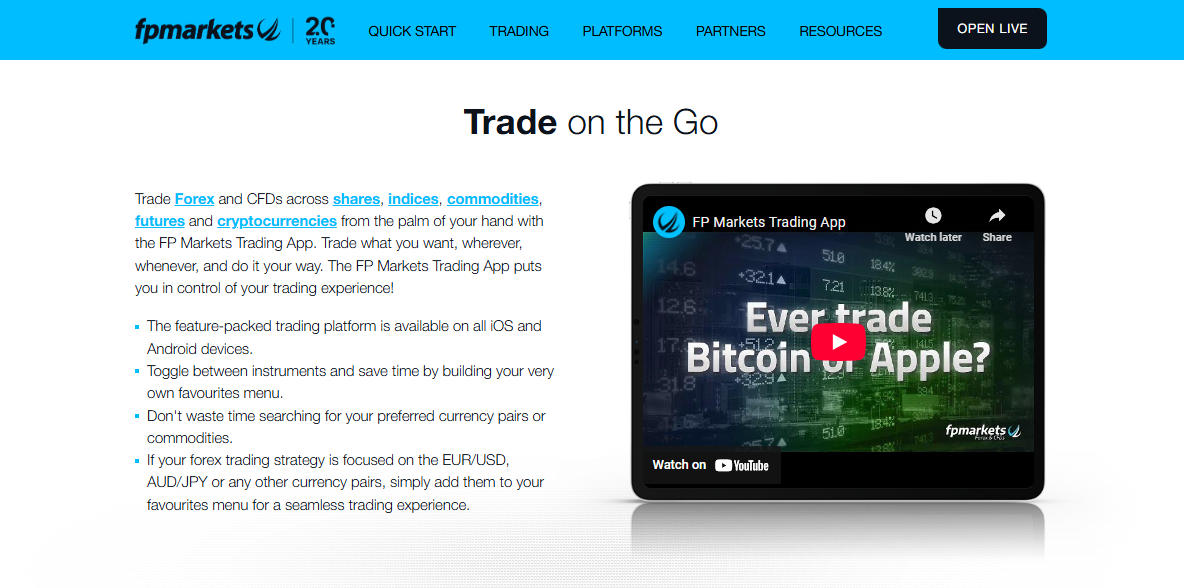
The FP Markets Trading App empowers users to trade Forex and CFDs on the go with access to over 70 currency pairs, major global stocks, indices, commodities, and cryptocurrencies.
Available on both iOS and Android, it’s designed for intuitive use, complete with customizable watchlists, charting tools, and real-time market access. It’s ideal for traders seeking flexibility, speed, and professional-grade tools on mobile.
| 🔎 Feature | 📌 Details |
| 📲 Platform Availability | iOS, Android, and mobile web browser |
| 💹 Tradable Instruments | 70+ Forex pairs, CFDs on shares, indices, commodities, and cryptocurrencies |
| 🧰 Tools & Features | Stop-loss/take-profit, charting, technical indicators, watchlists |
| 💵 Payment Methods | Credit card, PayPal, Neteller, Skrill, wire transfer & more |
| 🕒 Support | 24/7 multilingual support directly in-app |
| 🚀Open an Account | 👉 Open Account |
Pros and Cons
| ✅ Pros | ❌ Cons |
| Wide market access across asset classes | No native desktop version |
| Fully customizable watchlists and tools | Lacks some advanced pro tools (e.g., backtesting) |
| Easy funding with 10+ methods | Not all features available on demo accounts |
| Real-time pricing and top-tier liquidity | App interface may feel busy to absolute beginners |
Frequently Asked Questions
What markets can I access on the FP Markets app?
You can trade Forex, shares, indices, commodities, futures, and cryptocurrency CFDs.
Is there a demo account available?
Yes, a demo account is available with no minimum deposit required.
Can I fund my account directly from the app?
You can deposit and withdraw using over 10 different payment methods.
Does the app offer technical analysis tools?
Yes, it includes charting tools and technical indicators for market analysis.
Our Insights
The FP Markets Trading App is a robust, user-friendly platform suited for traders of all levels. It combines convenience with advanced functionality, offering a fully mobile experience without sacrificing performance. With global market access, extensive tools, and 24/7 multilingual support, it’s an excellent choice for traders who want to stay connected and in control from anywhere.
3. Blackbull Markets
 | Minimum Deposit: $0 Regulated by: FMA Crypto: Yes |
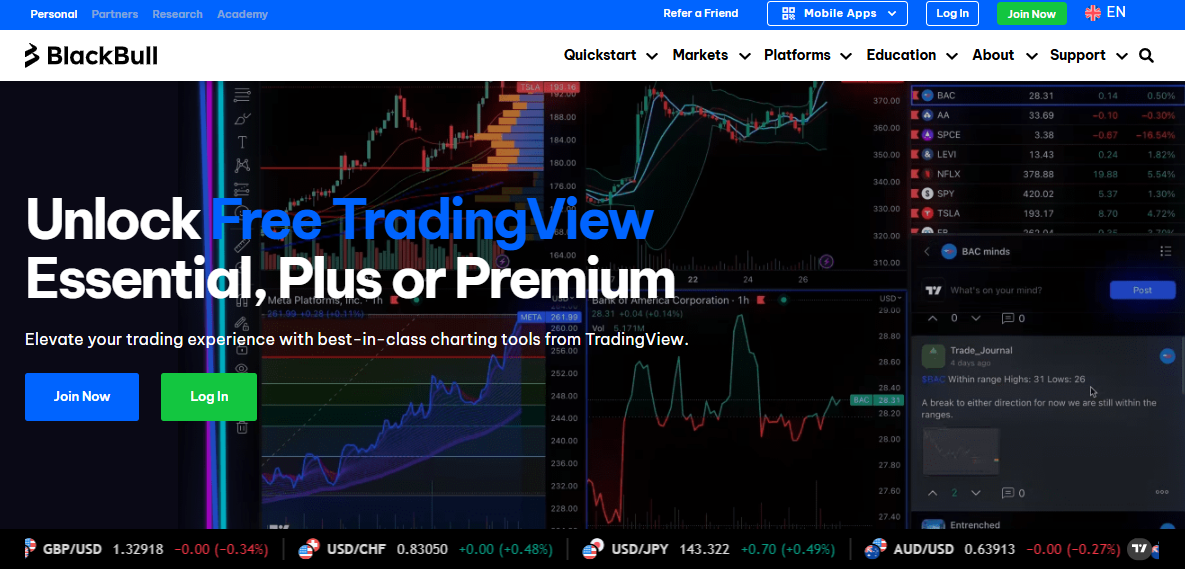
BlackBull Markets offers traders free access to TradingView Essential, Plus, or Premium, depending on how much you trade.
As an official broker partner of TradingView, BlackBull enables seamless trading directly within the TradingView platform, giving traders top-tier tools and charting experiences without the usual monthly cost.
Unlock powerful analytics, multi-chart layouts, and advanced alerts by trading as little as 1 lot per month.
| 🔎 Feature | 📌 Details |
| 📈 Charting Access | Free TradingView Essential, Plus, or Premium based on trading volume |
| 🔧 Platform Integration | Trade directly in TradingView via app, desktop, or browser |
| 💸 Minimum Deposit | None required |
| 📊 Alerts & Tools | Up to 400 price and technical alerts on Premium plan |
| 🕒 Support | 24/7 multilingual support available |
| 🚀Open an Account | 👉 Open Account |
Pros and Cons
| ✅ Pros | ❌ Cons |
| Free TradingView access tied to trading volume | Must trade specific volume to unlock plans |
| No monthly subscription fees for charting tools | Not suitable if trading less than 1 lot/month |
| Direct trading in TradingView platform | No partial credit if volume falls short |
| No minimum deposits to qualify | Only available with BlackBull trading accounts |
Frequently Asked Questions
How do I unlock free TradingView Premium?
Trade 10 lots per month, and the $59.95 cost is fully credited to your BlackBull account.
Can I trade directly from TradingView?
Yes, BlackBull Markets allows you to trade directly through TradingView’s desktop, browser, or mobile app.
What’s the minimum deposit to access these perks?
There’s no minimum deposit required to start trading with BlackBull Markets.
How do I connect my BlackBull account to TradingView?
Go to TradingView → Trading Panel tab → Select BlackBull Markets → Click Connect.
Our Insights
BlackBull Markets’ integration with TradingView is a win for any trader who values advanced charting and a streamlined experience. Whether you’re a casual or high-volume trader, the tiered rewards structure gives you access to TradingView’s premium features without an extra subscription.
Combined with zero minimum deposits, 24/7 support, and 1:500 leverage, this offering is perfect for traders who want powerful tools without the premium price tag.
4. Pepperstone
 | Minimum Deposit: $10 Regulated by: ASIC, BaFin, CMA, CySEC, DFSA, FCA, SCB 73-89 % of retail investor accounts lose money when trading CFDs Crypto Yes (only CFDs) |
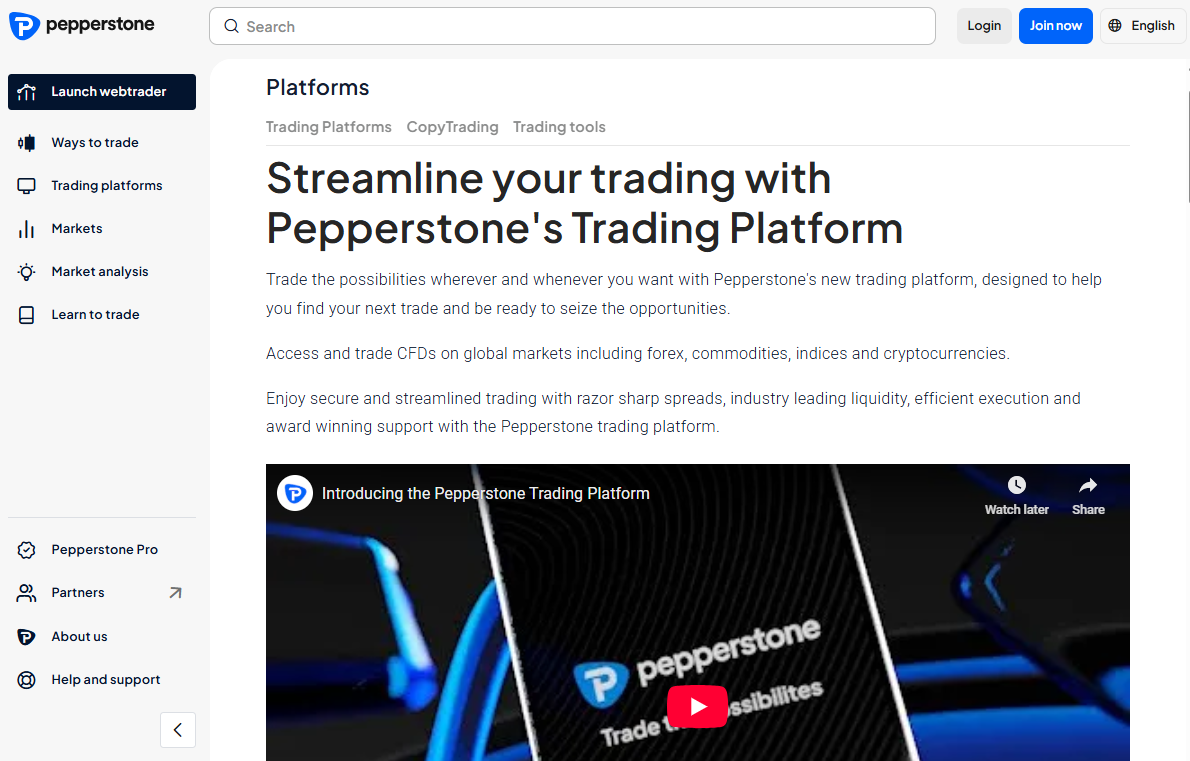
Pepperstone’s custom-built trading platform empowers you to trade CFDs on forex, commodities, indices, cryptocurrencies, and more—all with lightning-fast execution, razor-sharp spreads, and intuitive design.
Whether you trade from desktop or mobile, Pepperstone ensures a smooth, insightful experience backed by award-winning support and advanced charting tools.
| 🔎 Feature | 📌 Details |
| 🌐 Markets Access | Trade CFDs on forex, crypto, indices, shares, commodities |
| 📊 Charting Tools | Quick Switch, multi-chart view, indicators, risk tools |
| 📱 Mobile + Web Access | Trade via app or desktop Webtrader |
| 📋 Watchlists | Create custom or follow public watchlists |
| 🎓 Demo Access | Free demo account included with every live account |
| 🚀Open an Account | 👉 Open Account |
Pros and Cons
| ✅ Pros | ❌ Cons |
| 1300+ CFD instruments with real-time updates | Limited educational content on platform |
| Fast execution and competitive spreads | No native social trading integration |
| Easy-to-use platform with Quick Switch charting | Desktop version only available via browser |
Frequently Asked Questions
How do I log in to the Pepperstone platform?
Create your account via the website, then log in through the mobile app or Webtrader.
Can I fund my trading account easily?
Yes. Pepperstone supports multiple fast and secure funding options within the platform.
Is there a mobile app for trading on the go?
Yes. The Pepperstone Trading App offers full functionality for trading and analysis on mobile.
What if I want to test first?
Every live account includes access to a free demo account for practice and platform familiarity.
Our Insights
Pepperstone’s platform strikes a great balance between simplicity and power. It’s an excellent choice for both beginners and advanced traders who value speed, global market access, and customizable tools. From its clean design to robust charting and public watchlists, the platform helps you stay ready for market opportunities – anytime, anywhere.
5. AvaTrade
 | Minimum Deposit: $100 Regulated by: CBI, BVI, FSC, ASIC, FSCA, JFSA, FFAJ Crypto: Yes |
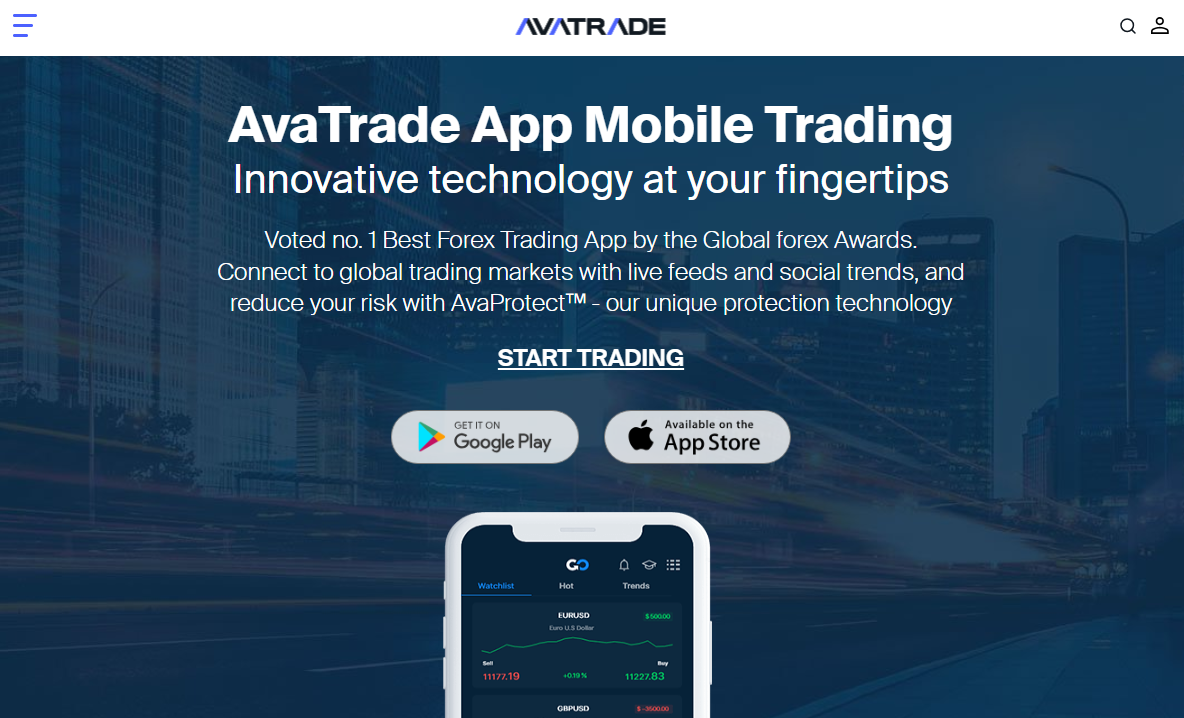
The AvaTrade Mobile App is an award-winning trading platform offering innovative features like AvaProtect™, real-time social sentiment tools, and seamless access to over 1,000 global instruments.
Designed for intuitive use, the app provides secure, efficient, and insight-driven trading on the go.
| 🔎 Feature | 📌 Details |
| 📉 AvaProtect™ | Protects trades from losses for a defined period |
| 🌍 Global Instruments | Trade 1,000+ instruments including forex, crypto, stocks, and commodities |
| 👥 Market Trends Tool | View real-time social sentiment and trader behavior |
| 📱 Cross-Platform Access | Trade from both mobile and WebTrader |
| 🛠️ Intuitive UI | Dashboard, zoomable charts, and real-time price feeds |
| 🚀Open an Account | 👉 Open Account |
Pros and Cons
| ✅ Pros | ❌ Cons |
| AvaProtect™ reduces risk exposure | AvaProtect is limited to specific time periods |
| Real-time market trends and sentiment tools | Lacks integration with some external platforms |
| Trade 1,000+ instruments from a single app | May be slightly complex for absolute beginners |
| Multilingual support and regulated broker | No native copy trading inside the app |
Frequently Asked Questions
What is AvaProtect™?
AvaProtect™ is a unique risk-management feature that protects your trades from losses for a set time.
What can I trade on the AvaTrade app?
Trade forex, stocks, commodities, indices, and cryptocurrencies – all from one app.
Can I view social trading trends?
Yes! The app includes real-time market trend insights based on community trading behavior.
Is the app beginner-friendly?
Absolutely. AvaTrade offers a clean dashboard, intuitive controls, and clear charts ideal for all levels.
Our Insights
AvaTrade’s mobile platform stands out for its innovative tech, especially AvaProtect™, and user-focused design. With strong regulation, wide market access, and real-time insights from fellow traders, it’s a top pick for those wanting peace of mind while trading on the go.
6. Exness
 | Minimum Deposit: $10 Regulated by: Globally regulated with multiple licences from respected financial regulators. Crypto: Yes |
Exness is a globally recognized Forex and CFD broker known for ultra-fast withdrawals, tight spreads, and flexible leverage options across multiple account types.
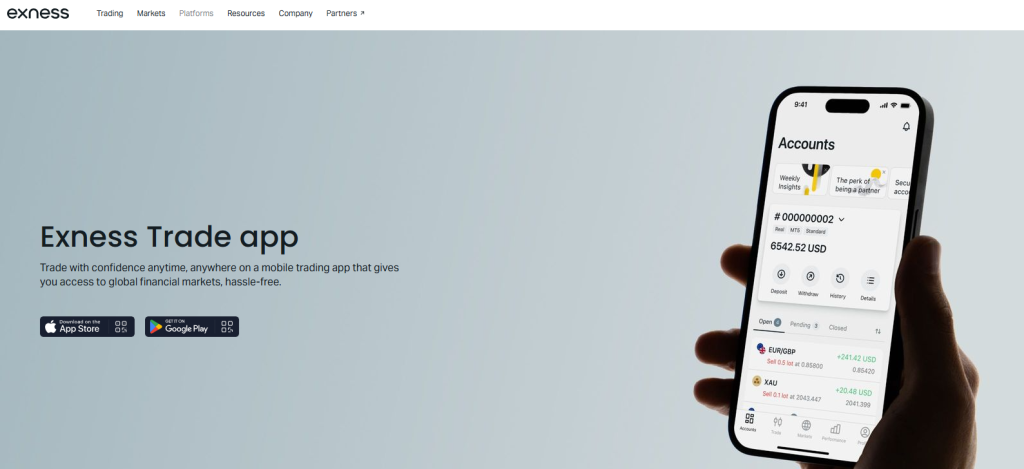
The Exness mobile trading app offers advanced charting, instant execution, and seamless account management for both beginner and professional Forex traders.
| 🔎 Feature | 📌 Details |
| 📊 Platforms Supported | Exness Trader App MetaTrader 4 MetaTrader 5 Web Terminal |
| 📲 Device Compatibility | Android and iOS |
| 🍎 Tradable Assets | Forex Commodities Cryptocurrencies Precious Metals Indices Equities |
| 💶 Payment Methods | Bank Card E-wallets Crypto |
| ❤️ Support Availability | Email phone social media |
| 🚀Open an Account | 👉 Open Account |
Pros and Cons
| ✓ Pros | ✕ Cons |
| Instant withdrawals | Limited product range compared to competitors |
| Tight spreads from 0.0 pips | Some entities don’t offer all account types |
| Multiple tier-1 regulations | $500 minimum for pro accounts |
| Excellent execution speed | No fixed-spread accounts |
| Unlimited leverage | Not available in some regions |
Frequently Asked Questions
What is Copy Trading on Exness, and how does it work?
Copy Trading on Exness lets investors automatically replicate trades from verified strategy providers. A copying coefficient adjusts trades based on your investment size, and you can monitor or stop copying anytime through the app for full control.
What account options are available for social trading on Exness?
Exness offers two social trading accounts: Social Standard requires a $500 minimum deposit with spreads from 1.0 pips, while Social Pro requires $2,000 with tighter spreads starting at 0.6 pips, catering to different trader needs and budgets.
What trading platforms does Exness offer?
Exness provides MT4, MT5, a browser-based Web Terminal, and the Exness Trader App. These platforms offer flexibility for beginners and professionals to trade using tools that best suit their style and technical needs.
How fast is order execution with Exness?
Orders execute within milliseconds on Exness platforms. Fast execution reduces slippage, maintains pricing accuracy, and ensures reliable performance, even during high-volatility market conditions.
Our Insights
Exness delivers one of the fastest mobile Forex trading experiences globally, combining instant withdrawals, ultra-fast execution, and advanced risk management tools within a clean user interface. The Exness Trade app is especially attractive to active Forex traders, scalpers, and high-frequency traders looking for stable spreads and flexible leverage options.
7. FOREX.com
 | Minimum Deposit: $100 Regulated by: CIRO, CySEC, NFA, CFTC, CIMA, FCA, FSA, MAS, ASIC Crypto: Yes |
FOREX.com is one of the world’s most regulated Forex brokers, offering a secure and beginner-friendly mobile trading experience with extensive educational resources.
The app provides real-time market analysis, advanced trading tools, and access to Forex, commodities, indices, and stock CFDs from a single platform.
| 🔎 Feature | 📌 Details |
| 📊 Platforms Supported | Web Mobile MetaTrader 5 |
| 📲 Device Compatibility | Android and iOS |
| 🍎 Tradable Assets | Forex Stock CFDs Indices Commodities Cryptos |
| 💶 Payment Methods | Credit/Debit Card Wire Transfer Neteller/Skrill |
| ❤️ Support Availability | multiple support channels, including live chat, global phone lines, and email |
| 🚀Open an Account | 👉 Open Account |
Pros and Cons
| ✓ Pros | ✕ Cons |
| Low Forex Fees | Limited to Forex and CFDs |
| Variety of Currency Pairs | High Stock CFD fees |
| Diverse technical tools | Not user friendly |
Frequently Asked Questions
What features make FOREX.com trading platforms stand out?
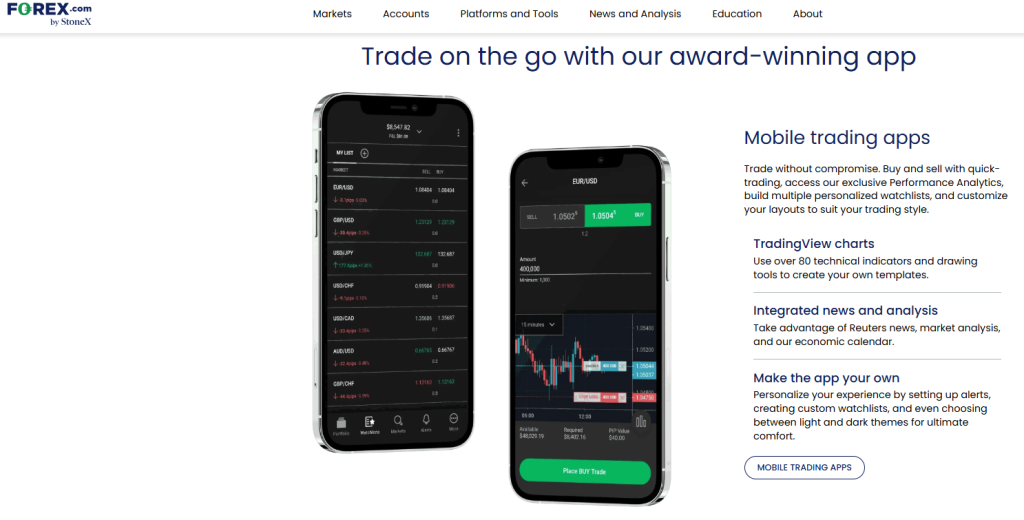
FOREX.com offers platforms with advanced charting powered by TradingView, integrated Reuters news, smart trade tickets, and over 80 technical indicators. Users can personalize layouts, set alerts, and trade from charts, ensuring a tailored experience for all trading styles.
How fast are trade executions on FOREX.com platforms?
FOREX.com boasts an average execution speed of 0.003 seconds, with 100% of trades (excluding MetaTrader) executed in under one second during normal market conditions. This swift execution minimizes slippage and enhances pricing accuracy for traders.
What trading platforms does FOREX.com support?
FOREX.com offers its proprietary web and mobile platforms, as well as TradingView and MetaTrader 5 (MT5). These platforms include advanced charting, analytics, and customizable trading tools for both beginners and professionals.
How does FOREX.com protect client funds?
All client funds are held in segregated accounts with top-tier banks, ensuring they are never mixed with company funds. Additionally, the broker does not engage in proprietary trading and adheres to strict regulatory standards worldwide, including audits and compliance with anti-money laundering protocols.
Our Insights
FOREX.com stands out as one of the most highly regulated Forex brokers globally, making it a trusted choice for traders prioritizing security and transparency. The broker operates under multiple top-tier regulators, including the FCA, CFTC, NFA, ASIC, and CySEC.
8. IG Group
 | Minimum Deposit: $250 Regulated by: FCA, ASIC, CFTC, NFA, BaFin Crypto: Yes |
IG Group is a premium multi-asset trading provider offering sophisticated mobile trading technology, institutional-grade execution, and deep liquidity access.
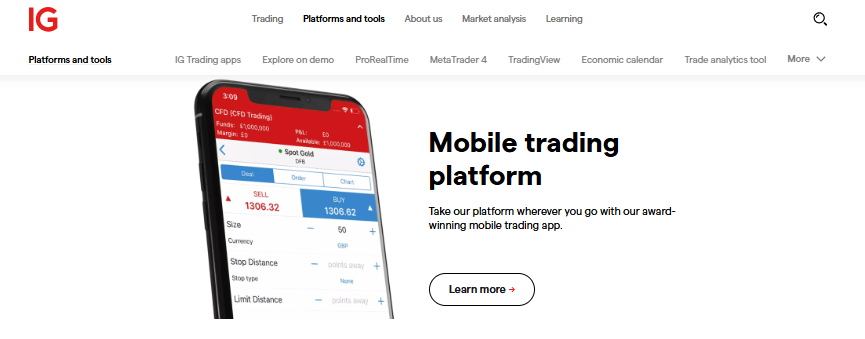
IG’s trading app is highly regarded for its professional research tools, integrated news feeds, advanced charting, and broad global market coverage.
| 🔎 Feature | 📌 Details |
| 📊 Platforms Supported | MT4 IG Platform ProRealTime |
| 📲 Device Compatibility | Android and iOS |
| 🍎 Tradable Assets | Forex Stocks Indices Commodities |
| 💶 Payment Methods | Bank Transfer Card PayPal Skrill Indices Cryptocurrencies |
| ❤️ Support Availability | Telephone WhatsApp/Live Chat |
| 🚀Open an Account | 👉 Open Account |
Pros and Cons
| ✓ Pros | ✕ Cons |
| Fast execution speeds | Limited availability of managed accounts |
| Low spreads and no deposit/withdrawal fees | No micro or cent accounts |
| Wide range of markets (17,000+) | Fees on guaranteed stops |
| Multiple payment methods available | Some third-party platforms require downloads |
| Reliable customer support (24/7) | Leverage limits for retail clients |
| Segregated client funds for added security | Can be complex for beginners |
Frequently Asked Questions
What trading platforms can I use with IG?
IG offers several platforms, including its proprietary web platform, 🇺🇸 MetaTrader 4 (MT4), ProRealTime, and L2 Dealer. Each is designed to suit different trading styles, whether you need advanced technical analysis or a simple, fast trading interface.
Can I trade on IG using a mobile device?
Yes. IG’s mobile trading app provides a full-featured experience, allowing users to open, manage, and close trades with real-time data and tools. The app is designed for ease of use while maintaining the functionality of the desktop platforms.
What is the minimum deposit required to open an account with IG?
You can open a live trading account with IG by depositing a minimum of $250. This amount gives you access to IG’s full trading features, platforms, and tools once your application is approved and your account is funded.
Do I need to deposit funds immediately to open my account?
No, IG allows you to open an account without making an immediate deposit. However, you must fund your account before you can begin trading. This flexibility gives you time to explore the platform and even try out the demo account.
Our Insights
IG Group offers one of the most sophisticated Forex trading apps globally, combining institutional-grade trading tools with an intuitive mobile experience for active traders. The platform provides access to thousands of global markets, advanced charting, integrated news feeds, and real-time trading signals.
9. CMC Markets
 | Minimum Deposit: $0 Regulated by: BaFin, FCA, ASIC, MAS, FMA, IIROC, DFSA Crypto: Yes |
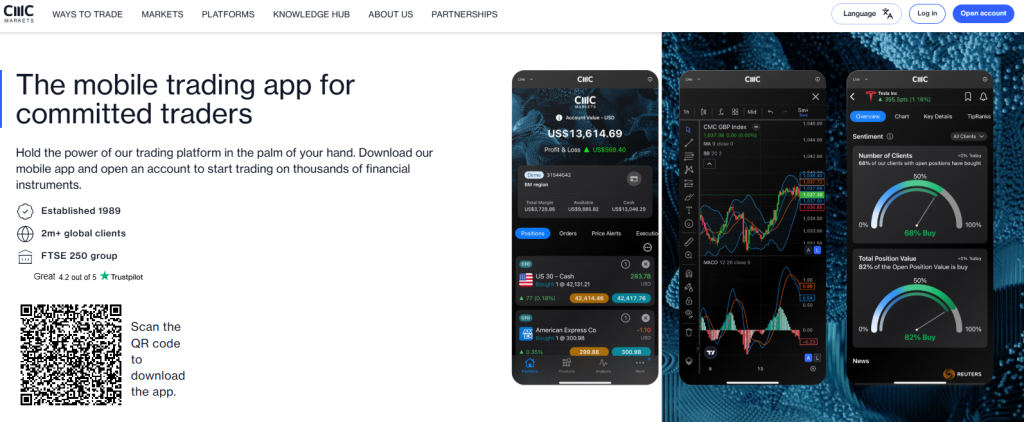
CMC Markets delivers one of the most advanced mobile trading experiences through its proprietary Next Generation trading platform. The app includes powerful technical analysis tools, customizable layouts, integrated Reuters news, and access to thousands of global trading instruments.
| 🔎 Feature | 📌 Details |
| 📊 Platforms Supported | MT4 MT5 TradingView Web Platform |
| 📲 Device Compatibility | Android and iOS |
| 🍎 Tradable Assets | Forex Indices Commodities Shares,ETFs Treasuries Cryptocurrencies |
| 💶 Payment Methods | Bank Transfers Credit/Debit Cards E-wallets Crypto |
| ❤️ Support Availability | Telephone |
| 🚀Open an Account | 👉 Open Account |
Pros and Cons
| ✓ Pros | ✕ Cons |
| Regulated in multiple regions | No US client acceptance |
| Wide range of markets | Inactivity fees may apply |
| Award-winning trading platforms | Share CFD commissions can add up |
| Competitive spreads and tools | Limited crypto range compared to some brokers |
| Strong research and education | No fixed spread accounts |
Frequently Asked Questions
Which trading platforms can I choose from with CMC Markets?
CMC Markets supports MetaTrader 4 and 5, TradingView, and its own award-winning web and mobile platform. Each platform includes advanced charting, real-time insights, automated trading capabilities, and mobile access to suit any trading style or strategy.
What makes CMC’s proprietary platform stand out?
CMC Markets’ proprietary platform combines integrated TradingView charts, advanced execution, client sentiment tracking, Morningstar research, and Reuters news. It’s designed for serious traders seeking precision, speed, and a user-friendly experience across desktop and mobile.
What additional costs should traders expect beyond spreads?
Traders may face overnight holding costs charged daily at 5 pm New York time, plus potential fees for rollover, guaranteed stop-loss orders, market data, and inactivity, all depending on the instrument and trading behavior.
How does CMC Markets ensure platform reliability and trade execution?
CMC Markets maintains London-based servers, automated execution, and an impressive 99.95% platform stability rate. Combined with tier-one liquidity and zero dealer intervention, traders experience near-instant fills and consistent pricing across all major asset classes.
Our Insights
CMC Markets offers one of the most advanced Forex trading apps globally, combining institutional-grade charting tools with a highly responsive mobile trading environment. The broker is particularly strong for active traders seeking professional research, multi-asset access, and fast execution speeds.
10. eToro
 | Minimum Deposit: $200 Regulated by: FCA, CySEC, MFSA, ADGM, ASIC, FSAS, FinCEN Crypto: Yes |
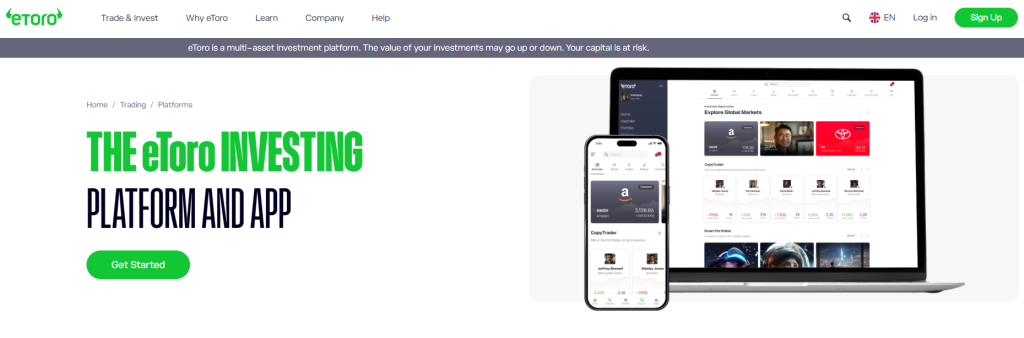
eToro is a leading social trading platform that allows users to copy professional traders automatically through its innovative CopyTrader technology. The eToro mobile app combines Forex trading, cryptocurrency investing, stock CFDs, and community-driven market insights within an intuitive, beginner-friendly interface.
| 🔎 Feature | 📌 Details |
| 📊 Platforms Supported | mobile or web platform |
| 📲 Device Compatibility | Android and iOS |
| 🍎 Tradable Assets | Stocks Currencies Crypto Commodities Gold Copper Indices ETFs |
| 💶 Payment Methods | Credit/debit cards bank transfer PayPal Skrill, Neteller Trustly |
| ❤️ Support Availability | automated chatbot is available 24/7 |
| 🚀Open an Account | 👉 Open Account |
Pros and Cons
| ✓ Pros | ✕ Cons |
| Social trading and CopyTrading features. | Limited asset selection in some markets. |
| Easy-to-use platform for beginners. | Higher spreads compared to some competitors. |
| No commissions on trades. | Leverage limits vary by jurisdiction. |
| Regulated by top authorities (FCA, ASIC, etc.). | No VPS hosting available. |
| Offers demo account with unlimited balance. | Swap fees apply on certain positions. |
Frequently Asked Questions
What makes eToro suitable for both beginners and experts?
eToro’s intuitive interface, $100,000 demo account, and features like CopyTrader make it easy for beginners to start, while tools like leveraged CFDs and thematic portfolios appeal to seasoned traders. Its multi-asset setup supports flexible strategies for all experience levels.
Does eToro charge high fees or require large deposits?
No. eToro offers low minimum deposits and unified, transparent fees. Deposits in the same currency as your account are free. It also supports a variety of deposit and withdrawal methods, such as bank transfers and cards, depending on your region.
What is the default account type on eToro?
The default account on eToro is the Personal (retail) account. It allows users to trade all supported assets, copy other traders, and invest in Smart Portfolios. Retail accounts come with the highest level of consumer protection and include access to a free demo account.
Can businesses open accounts with eToro?
Yes, businesses can open Corporate accounts with eToro. These accounts are designed for legal entities trading with company funds. Corporate account holders gain access to the same trading features but under a business registration, offering compliance flexibility and capital management tools.
Our Insights
eToro stands out globally as one of the best Forex trading apps for beginners and social traders thanks to its intuitive platform, CopyTrader technology, and strong multi-asset offering. The broker is particularly attractive for traders who want to follow experienced investors, access global financial markets, and trade within a highly interactive investing community.
iOS vs Android: which forex trading apps perform best on your device?
| Forex trading app | iOS rating | Android rating | Best for | Device performance |
| AvaTrade | 4.5★ | 4.3★ | iPhone users and cross-device traders | Highest iOS rating, with a clean layout, smooth navigation and consistent performance across both platforms |
| Pepperstone | 4.4★ | 4.2★ | Fast execution and reliable cross-device trading | Performs strongly on iOS and Android, with only a small difference between platform ratings |
| IC Markets | 4.4★ | 4.1★ | Active traders prioritising execution speed | Highly rated on iOS for fast execution and dependable mobile performance |
| Exness | 4.3★ | 4.3★ | Android users seeking stability | Joint-highest stated Android rating and performs reliably across a wide range of Android devices |
What is a Mobile Forex Trading App?
A Mobile Forex Trading App is a smartphone or tablet application that lets you buy and sell currencies on the forex market from anywhere.
It gives you real-time access to:
- Currency charts and prices
- Trade execution (placing buy/sell orders)
- Market news and analysis
- Account management (like deposits, withdrawals, and balance checks)
It puts a full trading platform right in your pocket, so you don’t need a laptop or desktop to trade.
In Conclusion
Mobile forex trading apps have made trading more accessible, flexible, and beginner-friendly than ever. Whether you’re tracking the market during your lunch break or placing a trade from your couch, a good trading app gives you the tools you need – right at your fingertips. With the right app, learning and growing as a trader becomes easier, faster, and way more convenient!
You might also like:
Yes – if you choose apps from trusted brokers regulated by financial authorities. Always check reviews and security features before downloading.
Most apps allow you to trade with real money or practice with demo accounts before risking your own funds.
Most apps are free to download, but some may charge fees inside the app, like spreads, commissions, or premium features.
Many apps today offer almost everything you’d find on a desktop – including live charts, technical indicators, and order management. However, complex analysis is still sometimes easier on a bigger screen.
Look for apps that are user-friendly, fast, offer real-time data, strong security, and educational tools if you’re just starting out.

Sidebar rates

